
5 Distinct AI Art Styles and the Exact Prompts Behind Them
If you've spent any time with generative models, you know the frustration: you have a vivid aesthetic in your mind, but typing your usual prompt produces a generic, plasticky image that looks like every other AI image on the internet.
The problem usually isn't the model. It's keyword dilution.
When prompts are stuffed with empty hype words like *"stunning, masterpiece, photorealistic, 8k, trending"*, the model's text encoder wastes attention heads trying to satisfy non-visual concepts. What diffusion models actually need is physical grounding: tangible textures, specific lighting angles, explicit medium directions, and controlled color palettes.
Below are 5 battle-tested visual aesthetics we've refined on Dreamixel, the exact mechanics behind why each prompt works, and the ready-to-use recipes you can copy or run immediately.
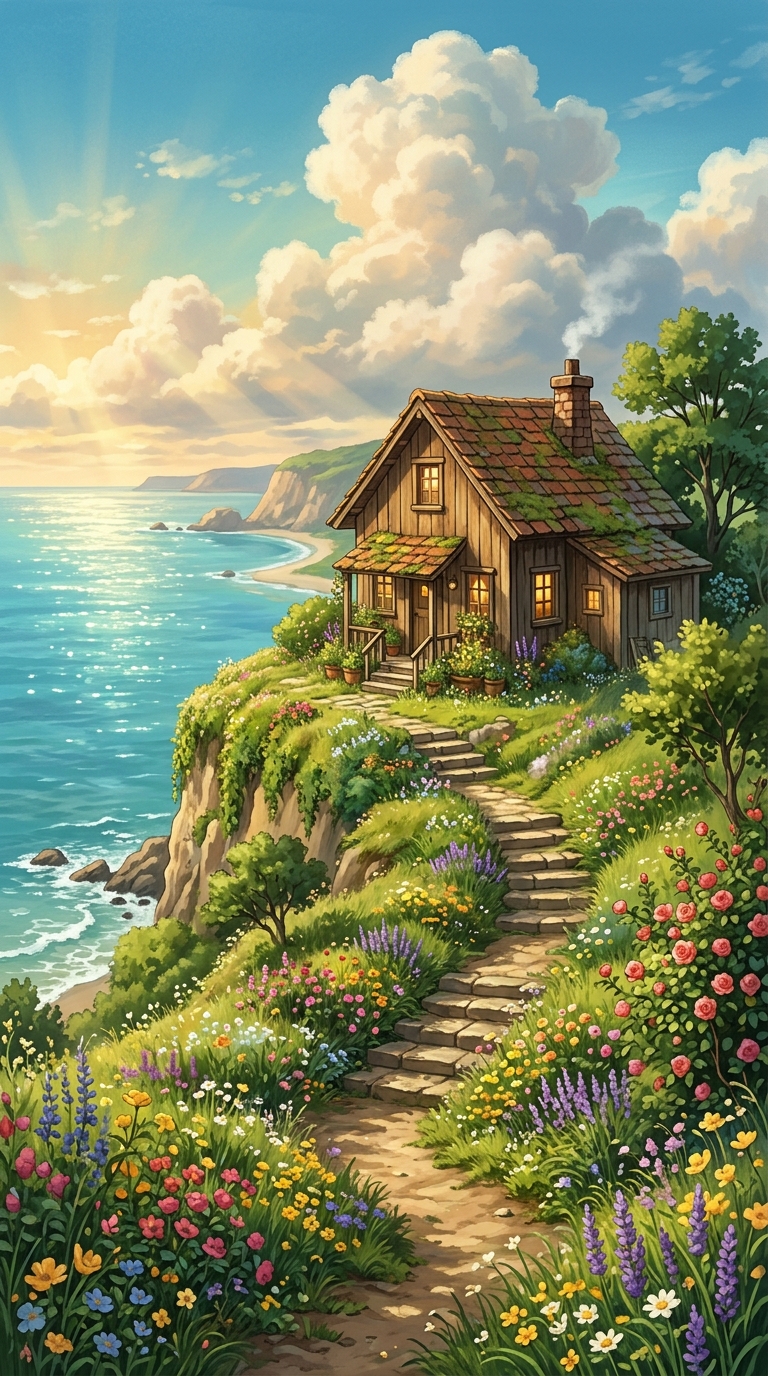
1. 90s Vintage Anime & Hand-Painted Watercolor
The biggest failure mode when people prompt for "anime" is getting flat, high-contrast digital vector illustrations with harsh black contours. If you want the organic warmth of a classic 1990s Studio Ghibli or vintage anime frame, you have to prompt the *analog medium*, not just the genre.
What Makes This Work:
- ●`Charming cozy cliffside cottage`: Grounding the subject with architectural adjectives gives the model structural guidelines.
- ●`Studio Ghibli warm aesthetic`: This activates the model's learned weights for hand-painted gouache backgrounds and natural earth tones (terracotta, turquoise, warm cream).
- ●`Golden hour sunbeams`: Directs the illumination angle without blowing out shadows or adding digital specular highlights.
- ●`Winding stone staircase with colorful flowers`: Adds micro-compositional layers, preventing the scene from feeling like an empty matte painting.
Practitioner Rule: When aiming for traditional animation or illustration styles, explicitly name the physical medium (e.g., *gouache background, cel-shaded lines, hand-painted watercolor*) to override default 3D rendering.
2. Cyber-Iridescent Warrior with Volumetric Rim Lighting
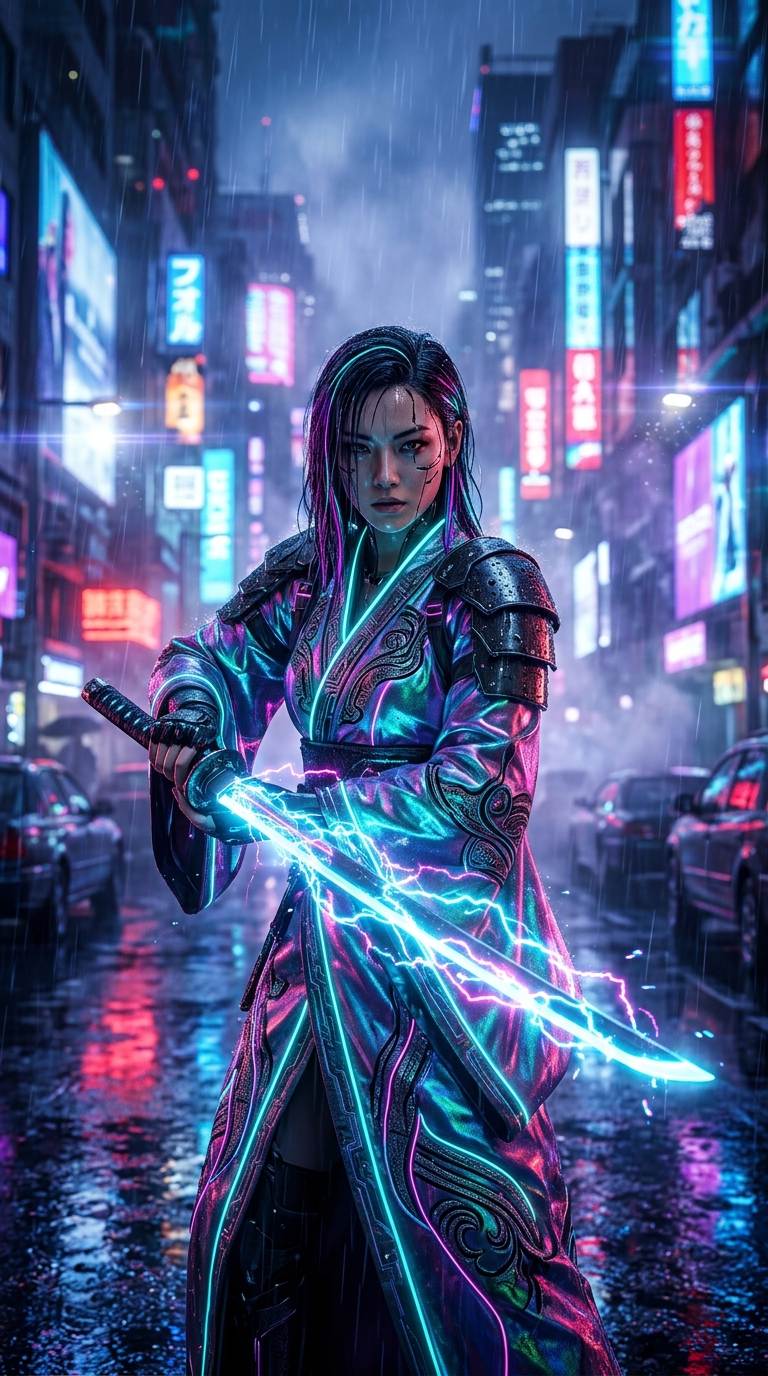
Most cyberpunk prompts fail because they fall into the "muddy blue alley" trap: dark backgrounds with blown-out, unreadable neon billboards that turn the subject's face into a silhouette.
What Makes This Work:
- ●`Iridescent battle kimono`: Mixing futuristic materials with traditional silhouette instantly gives the character distinct texture contrast.
- ●`Volumetric rim light`: This is the single most important token here. A rim light creates a thin silhouette contour around the subject, completely separating them from the dark Tokyo background.
- ●`Rainy Tokyo street reflections & bokeh`: Moves the background neon lights out of focus (bokeh), keeping visual clutter away from the focal subject.
Practitioner Rule: Whenever you prompt dark nighttime or neon scenes, always include a rim light token (volumetric rim lightorbacklit edge glow). Without it, dark hair and dark armor melt into dark backgrounds.
3. Bioluminescent Dark Fantasy Forest
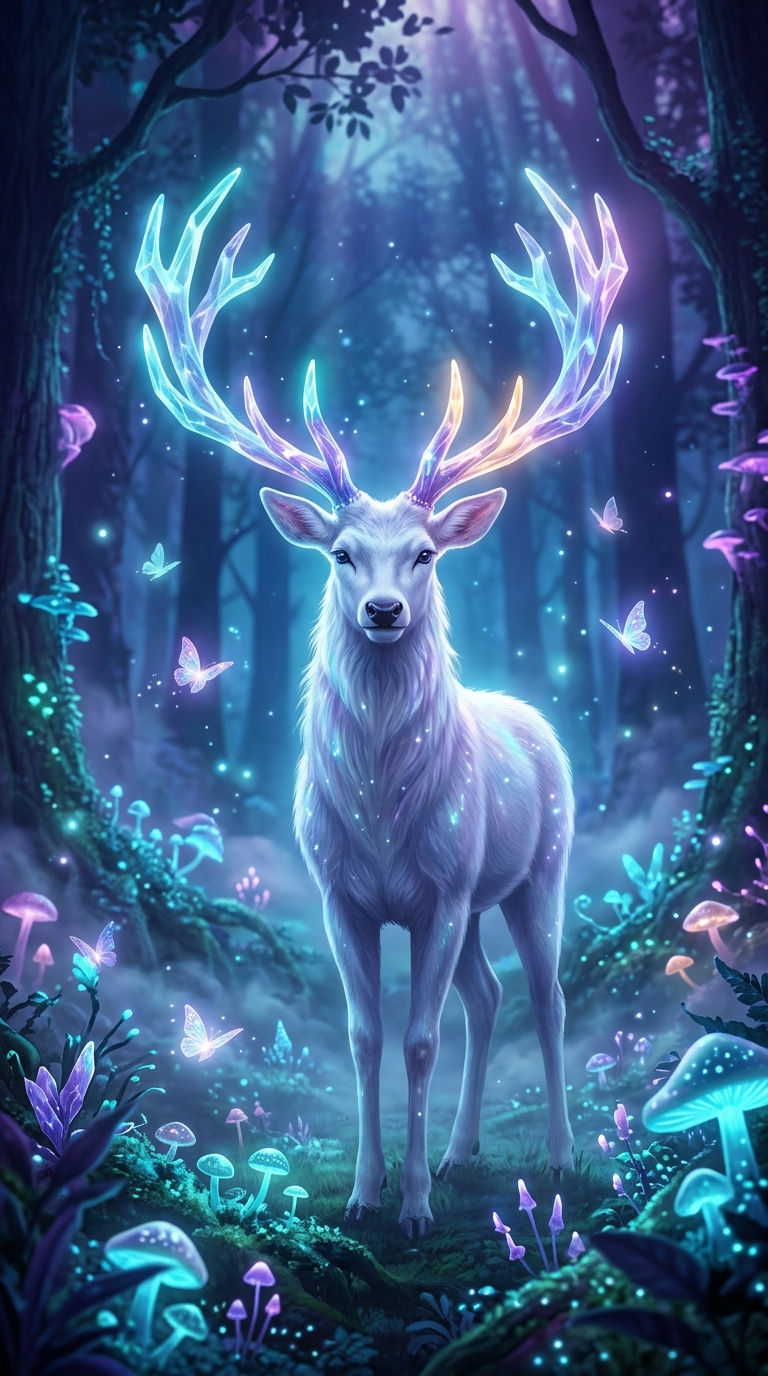
Fantasy forests frequently devolve into a chaotic green mess of overlapping leaves. To produce an image that looks like concept art from an AAA game, you need two things: a clean focal anchor and a complementary color palette.
What Makes This Work:
- ●`White stag with glowing crystal antlers`: A high-luminance, high-contrast focal subject forces the diffusion model to arrange all environmental elements around a central point of interest.
- ●`Twilight atmosphere`: Twilight gives you deep indigo and violet ambient light, which naturally contrasts with cyan and amber bioluminescence. If you prompt "night", the shadows crush into pure black; if you prompt "daylight", the glow washes out.
- ●`Ethereal mist`: Mist acts as an atmospheric depth separator, pushing background trees into subtle silhouettes while keeping the foreground crisp.
4. Midnight Wet-Asphalt Automotive Photography
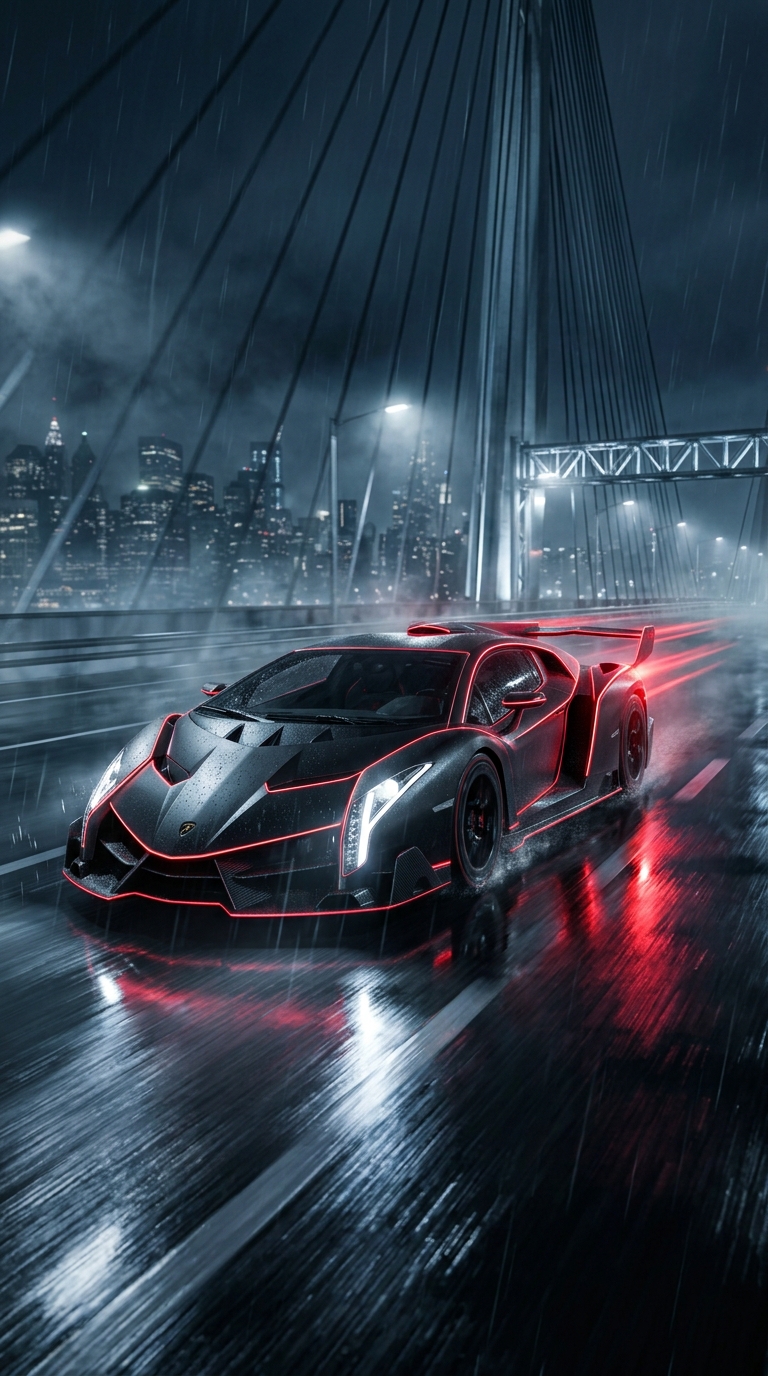
Generative AI often struggles with vehicles: wheel spokes warp, glass reflections look distorted, and body proportions bend awkwardly. Prompting like a commercial car photographer solves 90% of these geometric distortions.
What Makes This Work:
- ●`Matte black sports hypercar`: Specifying a matte finish reduces chaotic specular highlights that often confuse the model's edge recognition.
- ●`Wet city bridge & trailing red taillight streaks`: Wet asphalt acts as a giant natural mirror, adding vertical symmetry to the bottom third of the frame. Motion streaks imply speed without blurring the car itself.
- ●`Automotive photography`: This token steers the model toward telephoto focal lengths (typically 70mm to 105mm), which naturally avoids wide-angle fisheye distortion on car bumpers.
Practitioner Rule: For vehicles and architecture, avoid generic words like "cool car". Specify the finish (matte,satin,brushed aluminum) and the camera lens type (automotive photography,telephoto 85mm shot) to preserve clean lines.
5. Celestial Void Sorceress (Cosmic Space Art)
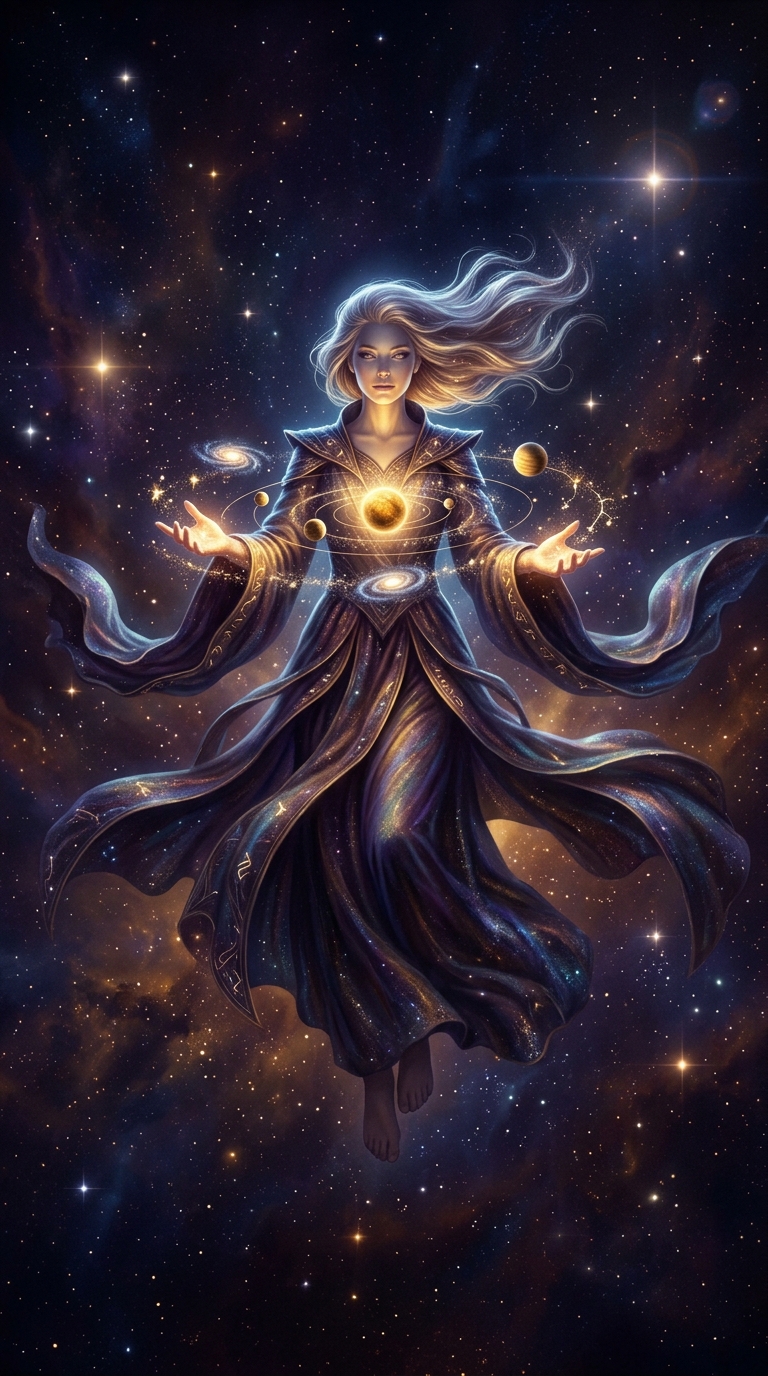
Space art can quickly turn into messy noise when diffusion models try to scatter billions of random stars across the canvas. The secret to epic celestial imagery is giving the model an explicit focal interaction.
What Makes This Work:
- ●`Summoning glowing miniature golden planets and galaxies around her palms`: Instead of leaving the subject's hands empty (which frequently results in distorted fingers), giving the hands an explicit interaction with glowing spheres provides clear structural motivation for finger posing.
- ●`Deep violet and amber nebula`: Limiting the space palette to two harmonious colors (violet and warm amber gold) prevents the background from looking like a rainbow cloud.
- ●`Flowing celestial robes`: Adds sweeping curved lines that guide the viewer's eye through the composition.
The 4-Layer Prompt Formula
If you want to create your own aesthetic styles from scratch, stop writing stream-of-consciousness paragraphs. Instead, stack your prompt using this 4-layer structure:
- ●Layer 1: Tangible Subject & Action — Define what physically exists before adding adjectives.
- ●Layer 2: Medium & Texture Tokens — Specify the material physics (e.g.,
Hasselblad 80mm medium formatorhand-painted cel-shaded gouache). - ●Layer 3: Lighting Physics & Source — Direct where photons come from (e.g.,
warm low-angle sunset rim light with cool cyan diffused shadows). - ●Layer 4: Framing & Depth of Field — Choose your ratio (
16:9or9:16) and environment layering (rain-slicked reflections,atmospheric haze).
Every image in this guide was generated directly on Dreamixel using this exact formula. Copy any of the recipes above, tweak one or two tokens to make it yours, and test it directly in the Studio.